Three creative starting points
Text builds a scene from a description. Image animates a single opening frame. Reference uses one to seven images to guide visual elements within a new shot.
Create short videos with audio from text, a starting frame, or reference images. Choose 1–15 seconds, set the resolution available for your input mode, and review the credit estimate before generating.
Grok Imagine 1.5 generates short videos with audio from text, a starting frame, or reference images.
Use it to explore an individual shot: a product reveal, a character gesture, or a camera moving through an imagined setting. A written prompt defines the direction; uploaded images can provide the visual starting point. This website offers the creator as an independent service with its own account, credits, and support.

Text builds a scene from a description. Image animates a single opening frame. Reference uses one to seven images to guide visual elements within a new shot.
Clips run from 1 to 15 seconds and include generated audio. They can become material for social edits, campaign concepts, or storyboards, with final selection and editing handled by you.
Explore
Browse real sample clips for the 1.5 workflow. Use them to compare framing, subject motion, scene rhythm, and prompt direction before generating your own video.
Key Features
Image animation, prompt-guided movement, and generated audio turn a visual concept into a short scene. Flexible inputs and output settings support different stages of creative work.
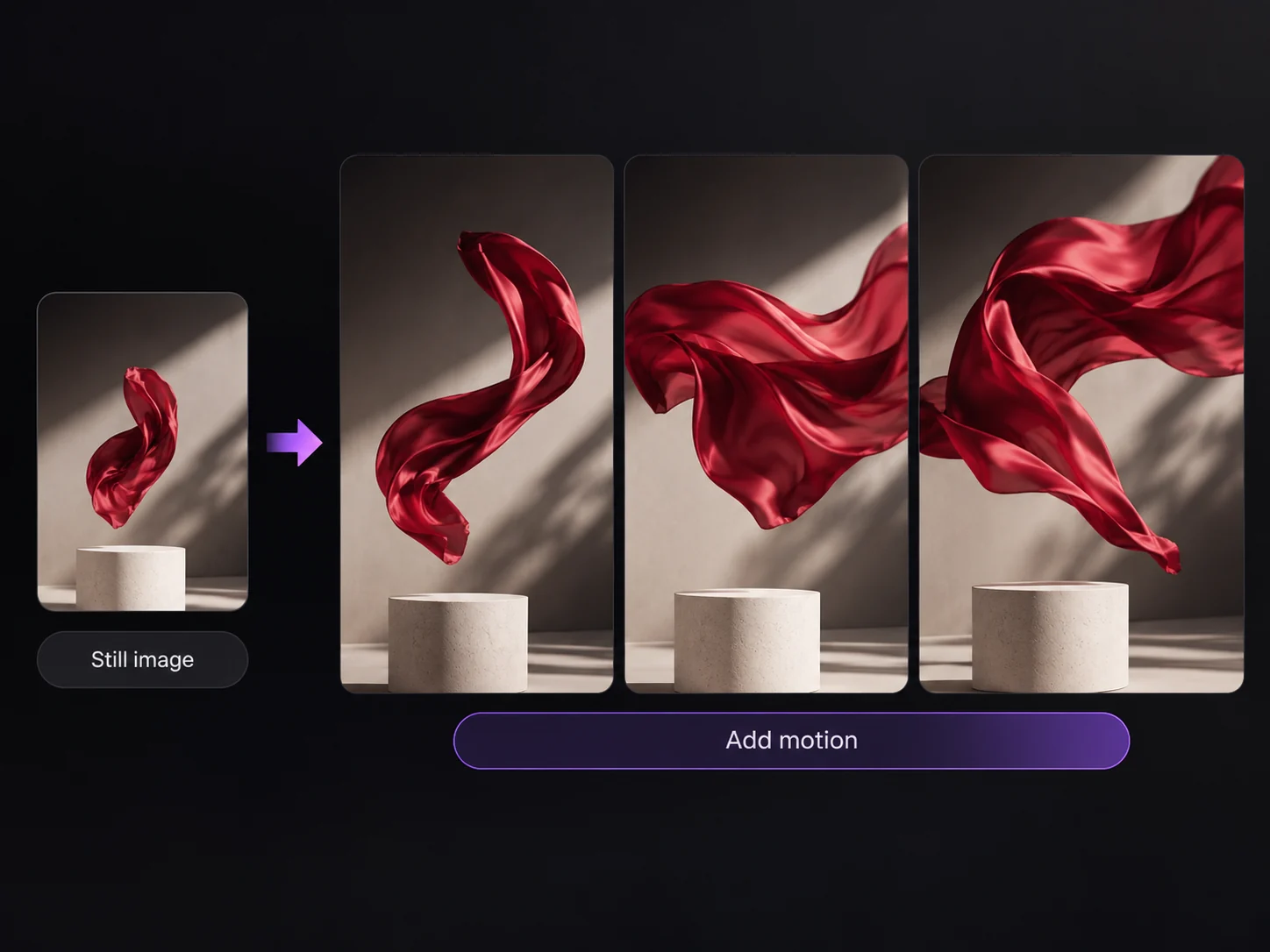
A still image becomes the opening frame of a moving scene. Portraits, product shots, and illustrations provide a visual starting point, while the prompt guides the action that follows.
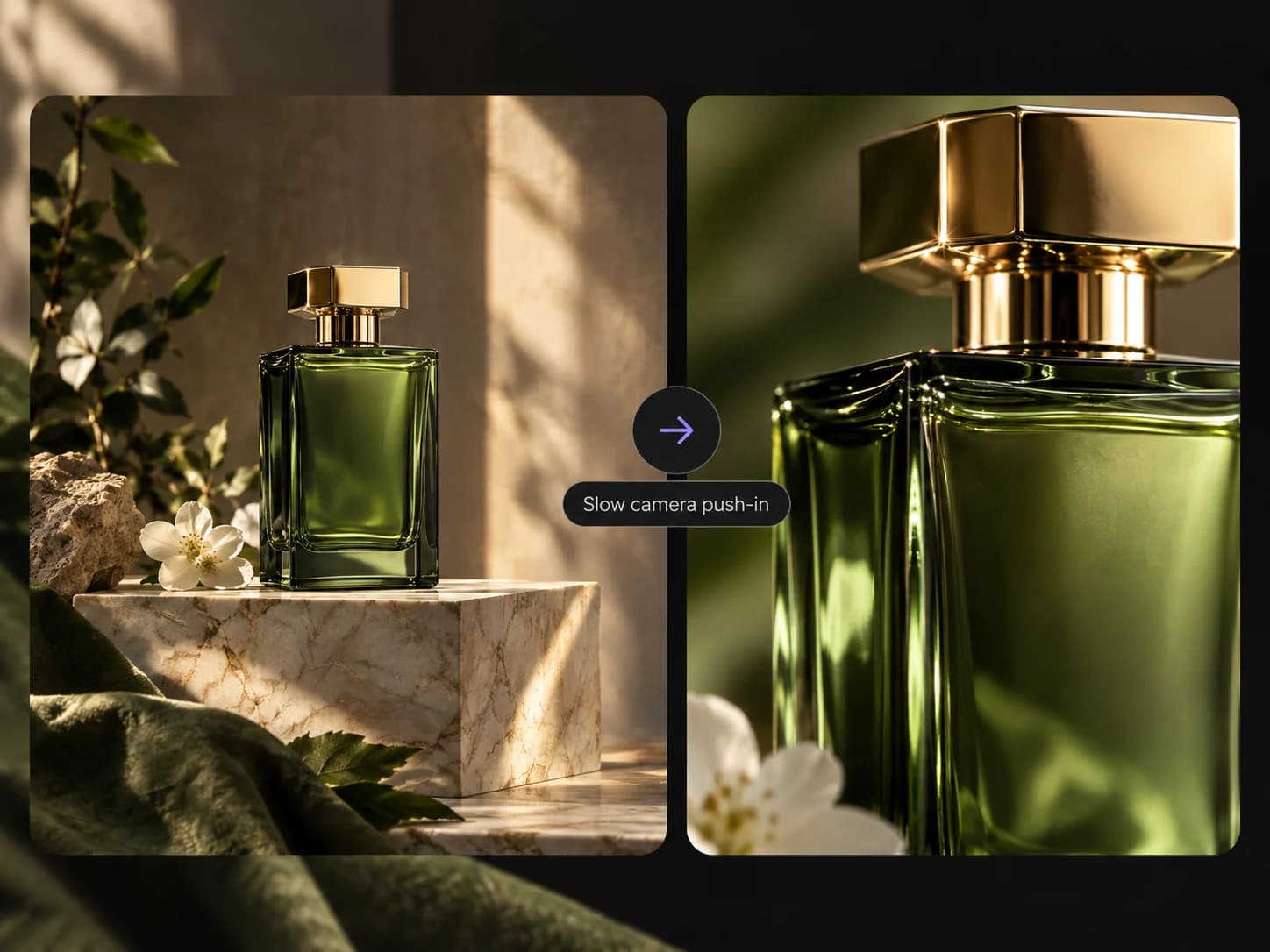
Camera direction and subject movement help shape the feel of a shot. A slow approach can emphasize a product; a tracking movement can follow a character through a setting.
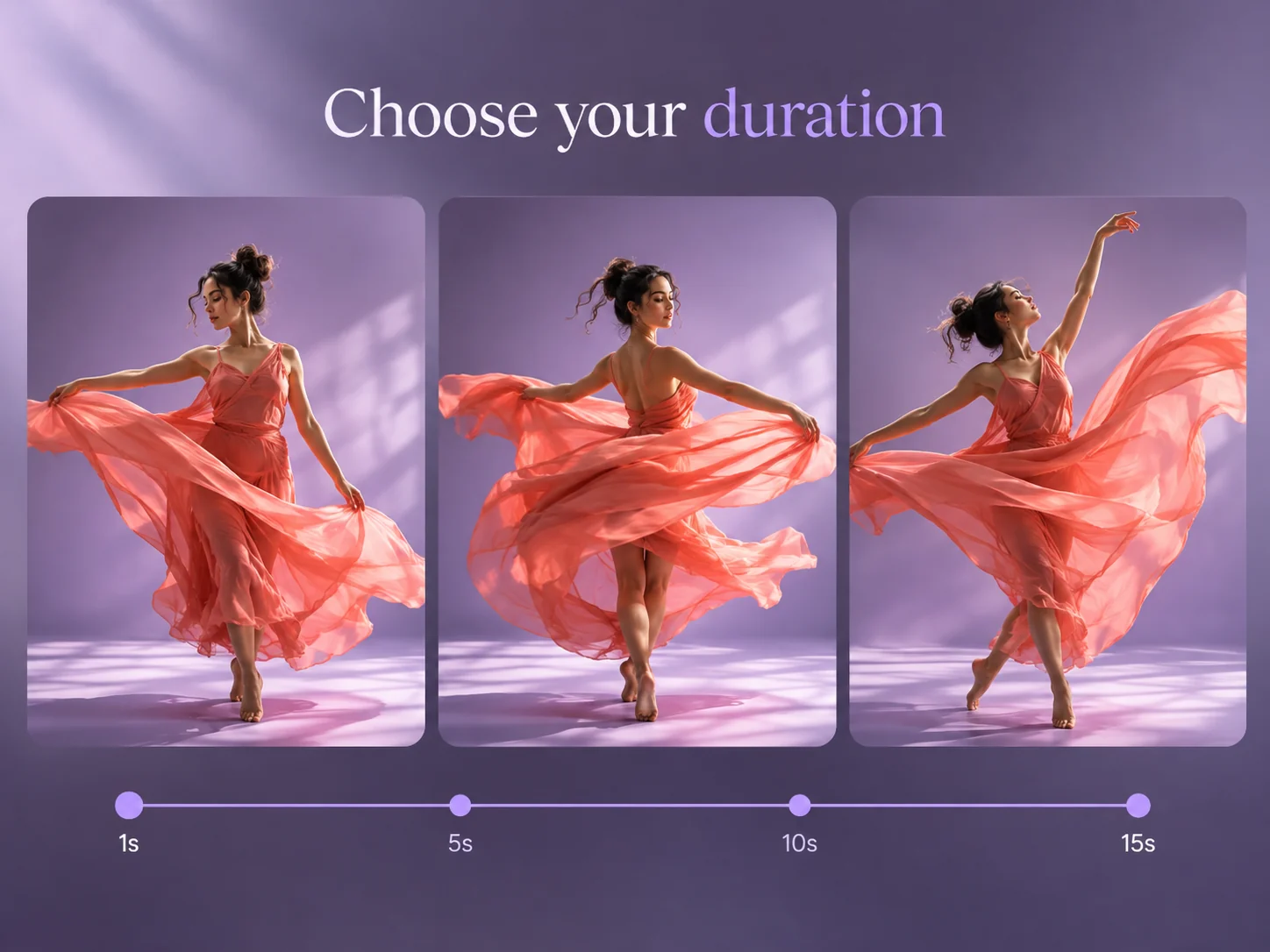
Flexible duration gives each idea room to unfold. A brief clip suits a gesture or motion study, while a longer take can accommodate a reveal or a gradual change in atmosphere.
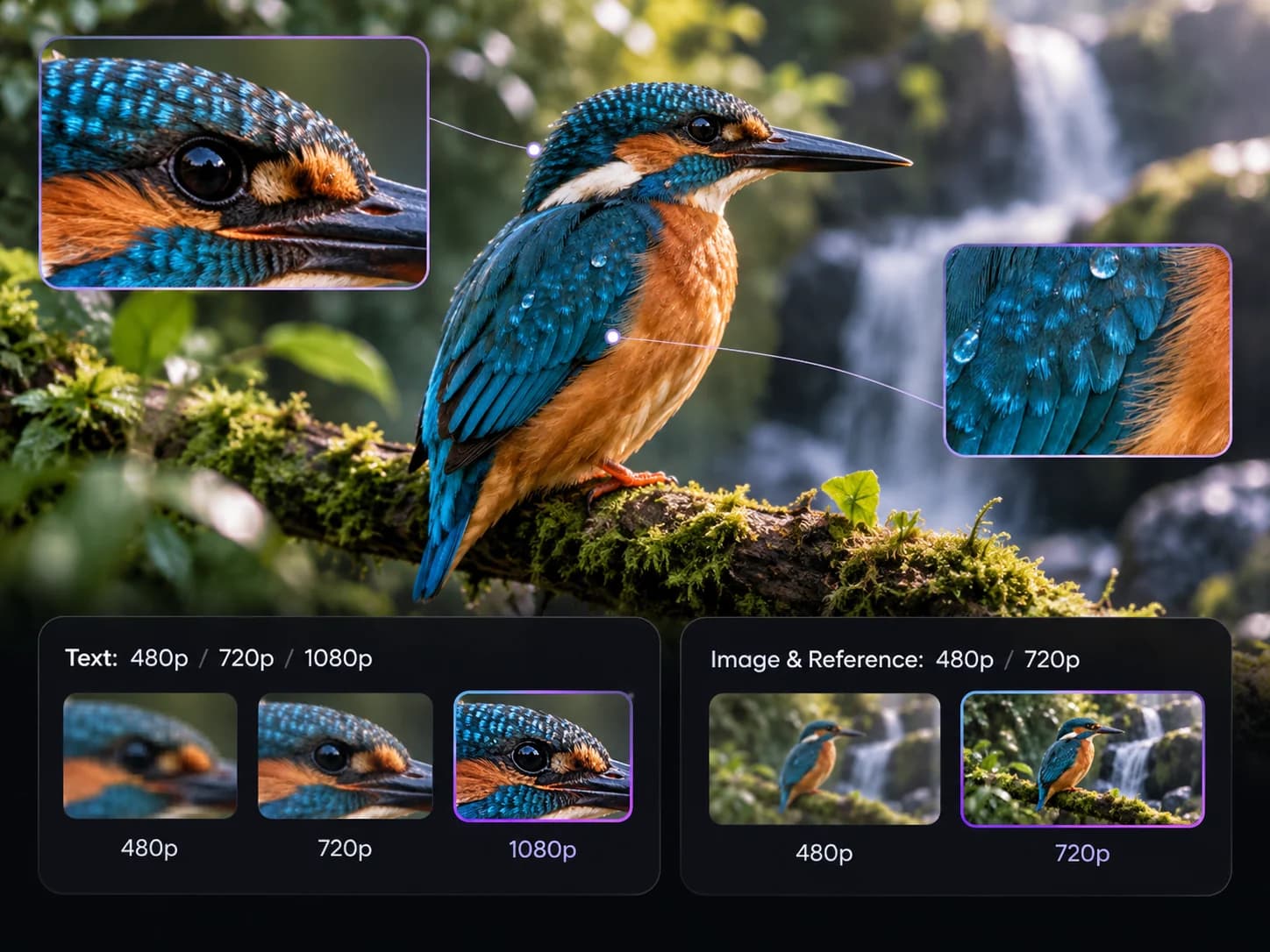
Image and reference inputs support 480p or 720p. Text-to-video also offers 1080p. Higher resolutions use more credits; review the cost in the tool.
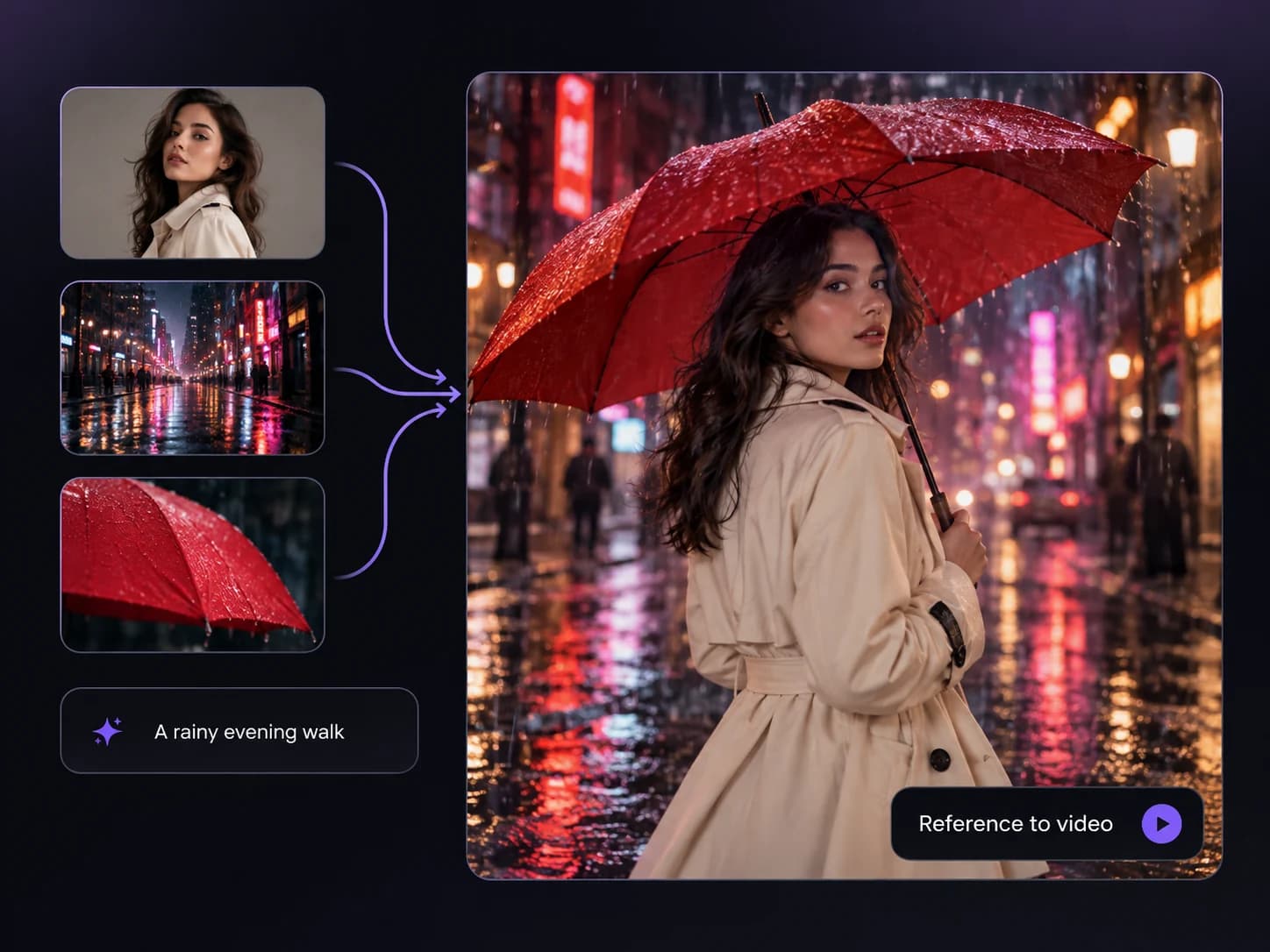
Text mode builds a scene from a written brief. Reference mode accepts one to seven images to guide visual elements, offering another starting point when you do not have a finished opening frame.
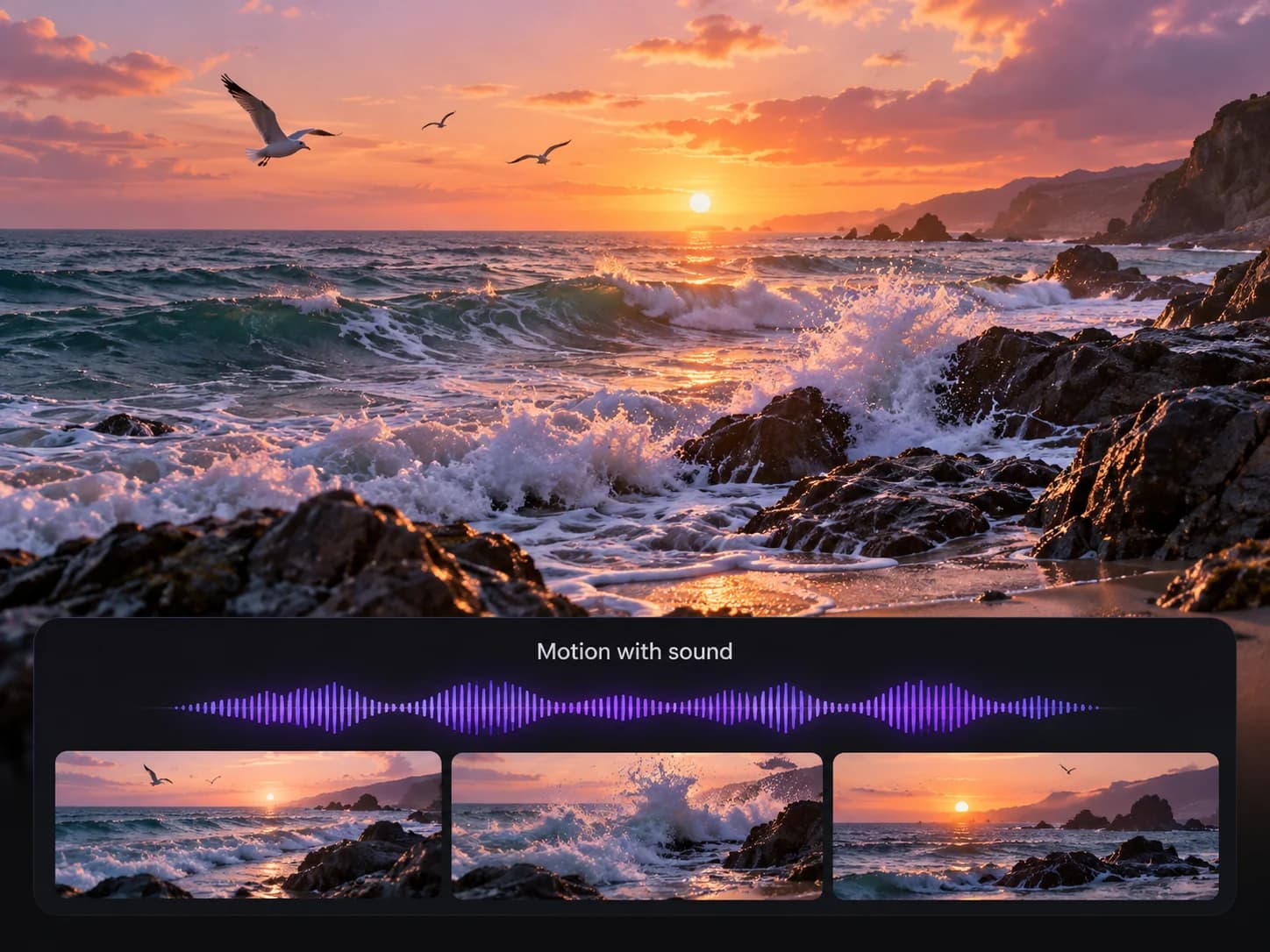
Sound is generated alongside the video, adding atmosphere and context to a short scene. The output may include ambience, effects, music, or dialogue; exact speech and synchronization can vary.
Compare Text, Image, and Reference before you spend credits on a new video.
Choose Text when the idea exists as words and you want the model to establish the scene. Describe the subject, setting, action, camera movement, and sound. Text mode offers 480p, 720p, or 1080p output. It gives you room to explore, but it does not provide the visual starting frame you get by uploading an image.
Choose Image when you already have a photo, illustration, or product composition. Upload it and concentrate the prompt on movement: what the subject does, what the camera does, and what stays still. This mode offers 480p or 720p. The source guides the shot, but fine details can still change as the scene moves.
Choose Reference to provide one to seven visual references. Use the @ control in the prompt to identify uploaded images and explain their roles. Reference mode offers 480p or 720p and adds one credit to the displayed duration-based estimate. References guide the result; they do not guarantee an exact copy of a face or object.
Grok Imagine 1.5 is the video workflow on this page. For a new still or a photo edit, choose an image tool instead. For an existing video, the separate Extend tool has its own input requirements and pricing. These are separate requests, so check each tool before combining them into a larger project.
Compare the length and inputs your shot needs before choosing a video workflow.
The Grok Imagine 1.5 column describes this website’s creator. The Seedance column describes the official model, whose available controls and prices depend on the provider you use.
| Your decision | Grok Imagine 1.5 here | Seedance 2.5 |
|---|---|---|
| Clip length | Choose 1–15 seconds per request in this creator. | The official model supports up to 30 seconds in one generation. |
| Starting materials | Text, one starting image, or 1–7 image references. | The official model supports multimodal references and video editing. |
| Output settings | Text: 480p, 720p, or 1080p. Image and Reference: 480p or 720p. | Check the provider’s available output settings before submitting. |
| Cost | The estimate uses duration, resolution, and the selected input mode. | Provider-specific pricing; no like-for-like price comparison is established here. |
Choose Grok Imagine 1.5 here for an individual shot with a visible credit estimate. If you need a single take longer than 15 seconds, Seedance 2.5 has the higher published duration limit. Compare actual outputs for your subject before deciding on visual quality; this table does not report a controlled quality or speed test.
Three steps to your next shot
Prepare your scene, choose the output settings, and turn your idea into a video you can review and refine.
Choose Text, Image, or Reference. Start with words, one opening frame, or up to seven reference images. Describe the action, camera movement, atmosphere, and sound you want.
Choose a duration from 1 to 15 seconds. Select 480p or 720p for image inputs; text-to-video also offers 1080p. Review the credit cost before generating.
Select Generate and wait for the result. Preview the motion and audio, then download the MP4. To explore another direction, adjust your prompt and submit a new request.
Develop short visual moments for social content, campaign concepts, and production planning.
Turn product compositions and campaign stills into motion concepts for landing pages, social ads, and presentations. Review packaging, lettering, and shape against the original before using a generated shot in a campaign.
Portrait gestures, animated illustrations, and lifestyle scenes provide individual moments for short-form edits. Combine selected clips with captions, music, and other footage in your editing workflow.
Explore lighting, camera movement, and atmosphere around a creative brief. Short shots give a team concrete visual directions to compare before committing to a full production.
Test how a scene might move before a shoot or animation pass. Generated shots can support discussions about framing and action; a longer sequence still needs editing for continuity and pacing.
Buy credits for supported image and video models. Available output settings and credit costs depend on the selected model.
100 credits
≈ 10 videos at these settings
$0.10 per credit · One-time payment
Credits never expire
Most Popular · Save 9%
330 credits
≈ 33 videos at these settings
$0.09 per credit · One-time payment
Credits never expire
Save 18%
1,211 credits
≈ 121 videos at these settings
$0.08 per credit · One-time payment
Credits never expire
Request within 7 days: full refund if no more than 10% of purchased credits are used; otherwise, unused credits only. No refunds after 7 days. Bonus credits, taxes and processing or currency conversion fees are excluded. Read the refund policy.
Estimates use Grok Imagine 1.5, prompt to video, 5 seconds, 480p (10 credits per generation). Actual usage varies by settings and reference media.
FAQ
Answers about input modes, prompts, audio, output settings, and credits.
Grok Imagine 1.5 is the video generation option available in the creator above. It accepts text prompts, a starting image, or one to seven reference images, depending on the selected mode. You can choose a clip length from 1 to 15 seconds. Grok Imagine AI provides this workflow as an independent service with its own account and credit balance. Settings on other websites may differ. The model is also called Grok Imagine Video 1.5. Use the input-mode guide below the examples to choose between a starting frame and visual references.
Yes. Choose Text mode and describe the scene, action, camera movement, and desired sound. You do not need to upload a starting image for this mode. The current text workflow offers 480p, 720p, and 1080p output. Keep one main action in the prompt when exploring a new idea, then inspect the result before changing the direction. For a first Grok Imagine 1.5 video, describe a single camera move and a sound that fits the scene. Review the draft before adding more actions to the prompt.
Image mode starts with a single uploaded frame and a motion prompt. Reference mode lets you upload one to seven images and use the @ control to refer to them in the prompt. Explain which subject or visual detail each reference should guide. Both modes offer 480p or 720p in this tool. A reference helps guide the scene but does not guarantee identical faces, products, or text. Use Image for an already composed opening frame; use references when several visual elements need to guide a newly generated shot.
The form supports 1 to 15 seconds. Choose enough time for the action you describe, rather than packing several scenes into one clip. Use 480p for a lower-credit draft or 720p when you want more detail. Text mode also offers 1080p; Image and Reference do not. The credit estimate changes with duration and resolution, so compare it before submitting. A longer Grok Imagine 1.5 clip gives an action more time to unfold, but it also increases the request estimate. Start with the duration your scene actually needs.
Open the linked prompt guide for examples and existing 1.5 demonstrations. For a first prompt, describe the subject, one action, a camera move, the light, and any desired sound. If you upload a starting image, focus on movement instead of repeating every visible detail. Change one instruction at a time when revising a result. Treat a suggested prompt as a starting point, not a promise of an identical output. Keep the original prompt and settings alongside your result so you can identify which change helped your next draft.
Wait for the task to complete, then play the preview and listen to its audio before downloading the MP4. Inspect faces, hands, text, motion, and the final frames. A clip can look convincing at a glance while containing details you would want to correct before publication. If opening or downloading the completed result fails, retry the existing task first instead of immediately paying for a new generation. Check the opening and closing frames separately when the clip will sit beside another shot. Save the prompt and settings for any planned revision.
Generated videos include an audio track that can contain ambience, dialogue, music, or sound effects. Describe the sound you want along with the visual action. Preview the result with audio enabled, since exact words, timing, and synchronization can vary. Do not treat a written dialogue prompt as a guarantee of exact speech. Review sound separately from the picture before using the clip. For a product reveal, ask for a simple ambience or sound effect that suits the action. Check whether the resulting audio fits your intended edit before exporting the final sequence.
The displayed estimate is duration multiplied by the resolution rate: 2 credits per second at 480p, 4 at 720p, or 7 at 1080p. Reference mode adds 1 credit when references are supplied. A five-second 720p request is therefore 20 credits, or 21 in Reference mode. Credit packs are sold separately on the pricing page. Check the final amount in the creator before submitting. When comparing drafts, keep duration and resolution the same so the estimates are directly comparable. Budget separately for each new generation you choose to submit.
You can browse the examples and inspect the controls before purchasing credits. Generation requires an account with enough credits for the request; any account offer is shown in the service. This page does not promise unlimited free videos. Use the examples and prompt guide to prepare your idea, then check the displayed estimate before generating a draft. A Grok Imagine 1.5 free trial or promotional allowance should only be assumed when it is explicitly shown for your account. Check your balance before submitting, since a new request can consume credits even while you are experimenting.
Bring a written idea, a still image, or visual references. Give your scene motion and sound.